

Appearance
Flows
A flow is one automation rule: a trigger, an opening message, and an ordered list of response steps. Flows belong to a single Instagram account.
Flows are the automation half of InfluDM — you define what to watch for and what to send. The AI features are the other half: they read everything your flows don't, without you defining anything. The two never overlap, and a message a flow is already handling never reaches the AI.
📸 Screenshot
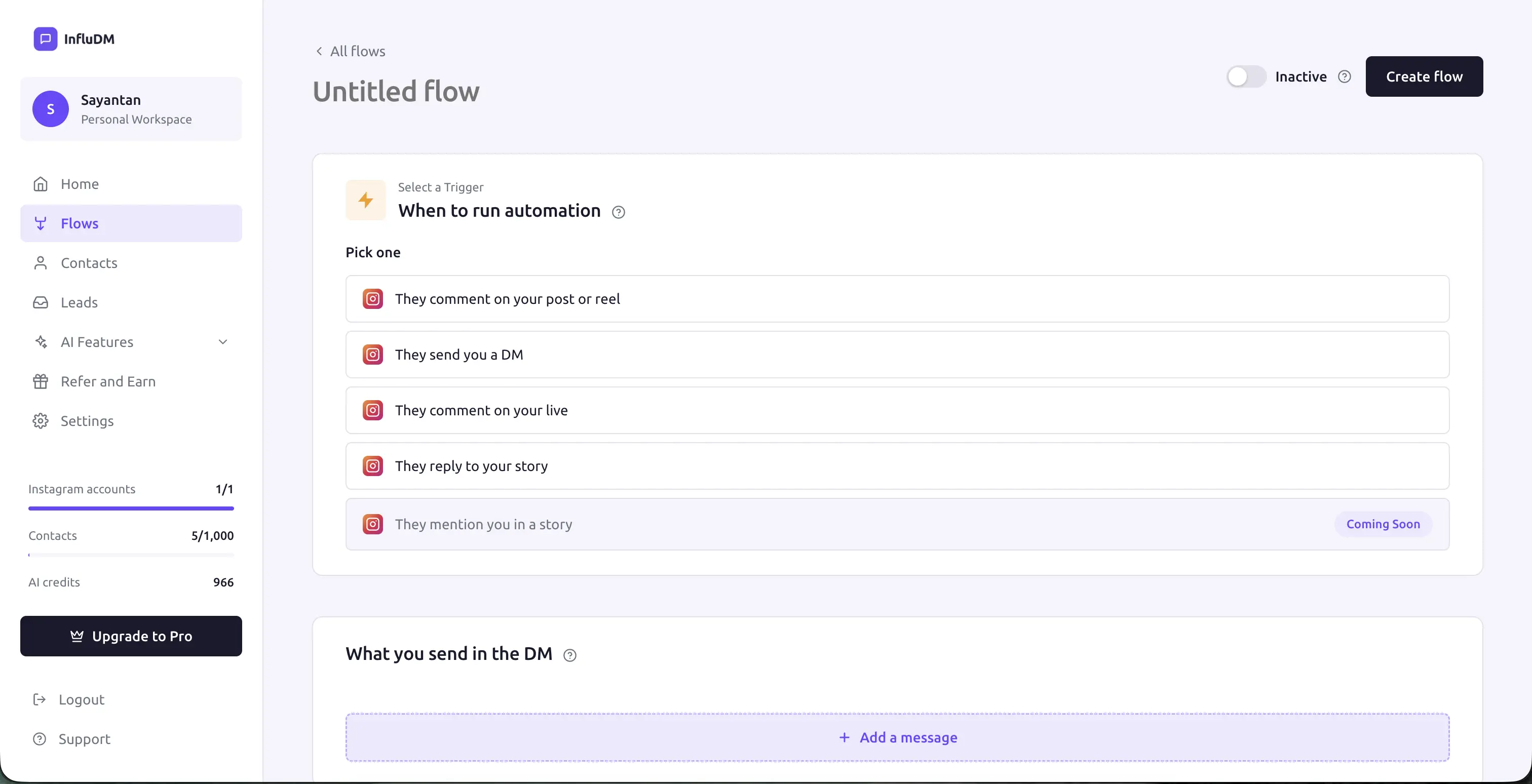 The flow builder on a new, unsaved flow — the trigger picker at the top, the active/inactive toggle in the header, and the DM you send below it.
The flows list
Flows in the sidebar shows every flow for the account selected in the switcher:
| Column | What it shows |
|---|---|
| Image | Thumbnail of the post, reel, live or story the flow watches (blank when it watches all media). |
| Name | Click it to open the builder. Unnamed flows show Untitled. |
| Trigger | Comments on post/reel, Direct messages, Live comments, or Story replies. |
| Status | An on/off toggle — flips the flow live or idle immediately. |
| Last modified | When it was last saved. |
| Actions | Edit (pencil), and a menu with Delete. |
Creating a flow
Create flow opens the builder on an unsaved draft. Nothing is written to the server until you press Create flow at the top right, so backing out doesn't leave an "Untitled" row behind.
The builder is one page with four cards, top to bottom:
- Select a Trigger — what starts the automation, which media it watches, the keywords, and the public comment replies. See Triggers & Keywords.
- Opening Message — the first DM and its call-to-action button. See Opening Message.
- Response Flow — the sequence that runs after the person engages. See Response Steps.
- Follow-up — an optional nudge for people who stall. Comment and live triggers only. See Follow-ups.
Give the flow a name in the field at the top so it's findable later.
Active vs inactive
The Active / Inactive toggle at the top of the builder is saved with the flow; the toggle in the list saves immediately on click.
- Inactive flows are ignored entirely — incoming Instagram events don't touch them.
- Active flows must be valid. If they aren't, activation is refused.
What makes a flow valid
The builder lists problems in a red panel and blocks activation until they're fixed:
- A text step with no text.
- A card step with no title.
- An image step with no images.
- An ask-to-follow step with no message, or one that isn't the first step.
- More than one ask-to-follow step.
- A lead form step with no form selected.
- A link button missing its label or URL.
- A comment or live trigger that has response steps but no opening message.
- An opening message or follow-up that's switched on but empty.
A lead form step with no form is rejected on every save, active or not — pick a form or delete the step.
Save drafts freely
Only activation is gated. You can save an incomplete flow as an inactive draft and come back to it.
Editing a flow
Open it from the list, change what you need, and press Save. Changes take effect for the next event.
Conversations already in progress use step positions, not step identities, so reordering or removing steps mid-conversation can move someone to a different next step than the one they were expecting. Prefer editing a flow when it's quiet.
Deleting a flow
The ⋯ menu on the row has Delete. It asks for confirmation and cannot be undone.
Deleting a flow removes its run history. Leads already captured are kept — a lead submission stores the flow's name as a snapshot, so it stays readable after the flow is gone.
Any conversation still mid-flow is closed out at the same time, so nobody is left waiting at a gate for a flow that no longer exists.
Where to go next
Building your first one? The Quick Start walks through a complete flow end to end. Otherwise, the four builder cards each have their own page:
- Triggers & Keywords — what starts the automation.
- Opening Message — the one private reply Instagram allows.
- Response Steps — the sequence, including the ask-to-follow gate and lead forms.
- Follow-ups — the nudge for people who stall.
For what happens after you press Save, read How a Flow Runs.