

Appearance
Contacts
Contacts is everyone who has interacted with one of your flows — commenters, DM senders and story repliers. Rows appear automatically; there's nothing to import.
How a contact is created
The first time someone triggers a flow, InfluDM records them against the Instagram account that received the event and enriches the row with whatever Instagram will share: name, username, profile picture, verification and follow relationship.
Every later interaction updates the same row — one contact per person per Instagram account — and bumps their interaction count and last-seen time.
The table
| Column | What it shows |
|---|---|
| User | Profile picture. |
| Name | Display name, with a badge if the account is verified. |
| Username | Their Instagram handle. |
| Relationship | Follow direction — see below. |
| Leads | Number of lead-form submissions; click to read the answers. |
| Joined | When they first interacted with a flow. |
Search by name or username in the header. Load more pages through the list.
📸 Screenshot
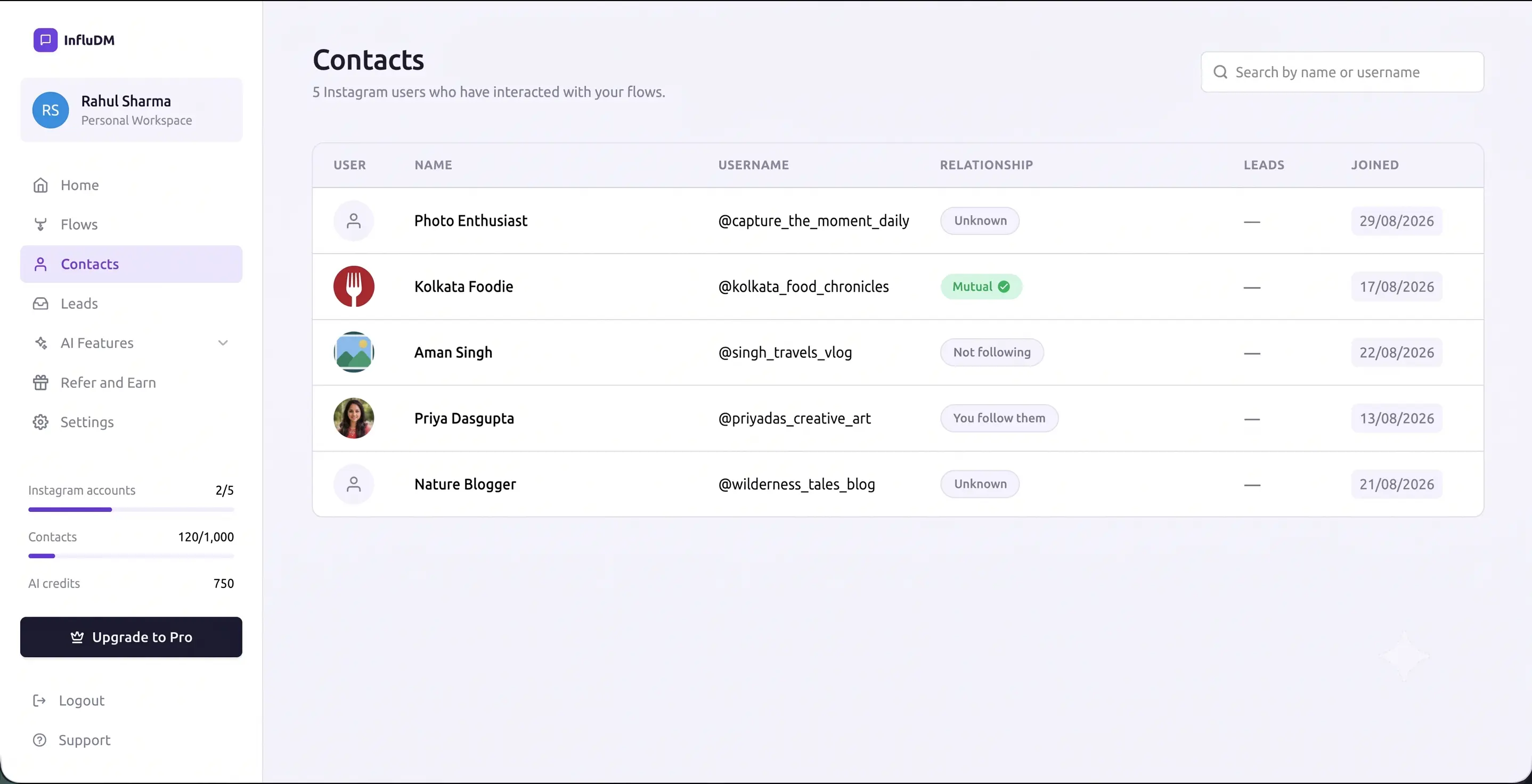 The Contacts table with the relationship badge on each row and the search box in the header.
The relationship badge
| Badge | Meaning |
|---|---|
| Mutual | You follow each other. |
| Follows you | They follow the connected account. |
| You follow them | The connected account follows them. |
| Not following | Neither follows the other. |
| Unknown | Instagram hasn't told us. |
Unknown is not the same as "not following." Instagram only lets a business look up someone's profile once that person has messaged the account. Contacts who only ever commented stay Unknown until they open a DM thread — usually by tapping your opening message.
This is also why the ask-to-follow gate checks the follow live at the moment they tap, rather than relying on what is shown here.
Contacts and your plan
Contacts are the metered resource on every plan, and the counter only ever goes up:
- It goes up every time a genuinely new person interacts with a flow.
- It never goes down — disconnecting an Instagram account deletes its contacts but does not give the allowance back.
When the allowance is used up, InfluDM stops automating: incoming events are dropped rather than run part-way. Existing conversations aren't resumed either. The sidebar meter shows where you stand; see Billing & Plans and Plans, Quotas & Limits.
Deleting contacts
There's no per-row delete. Contacts are removed when their Instagram account is disconnected, or when the workspace is deleted. Any leads they submitted survive both.
Who can see them
Everyone in the workspace, including read-only members. Members can't change flows or billing, but they see every contact and lead — that's what makes the role useful for a VA or an analyst. See Roles & Permissions.