

Appearance
Workspace & Team
A workspace is your tenant inside InfluDM. Instagram accounts, flows, contacts, leads and billing all belong to it.
Settings for it live under Settings → Workspace.
One workspace per user
Every user belongs to exactly one workspace, for good. You either create your own on first login or you're invited into someone else's — never both. There is no workspace switcher, and a user can't be moved between workspaces.
If you need a genuinely separate workspace, that's a separate sign-up with a different email address.
Workspace name
The name shown in the sidebar under your own name. Admins only.
Display currency
Sets the currency shown across billing — and, more importantly, how you're charged:
| Currency | Charged in | Gateway |
|---|---|---|
| INR | INR, tax-inclusive | Razorpay |
| Anything else | USD | PayPal |
The currency is seeded from your location on first login and can be changed by an admin. Amounts are not converted between currencies — each plan has its own price per currency.
Currency and referral payouts
Your referral payout currency is frozen the first time your referral account is created, and changing the display currency later does not move it. This is deliberate — it stops an existing INR balance being stranded behind a PayPal-only payout form. See Refer & Earn.
Team members
The member list shows everyone in the workspace, their role, and who the owner is.
📸 Screenshot
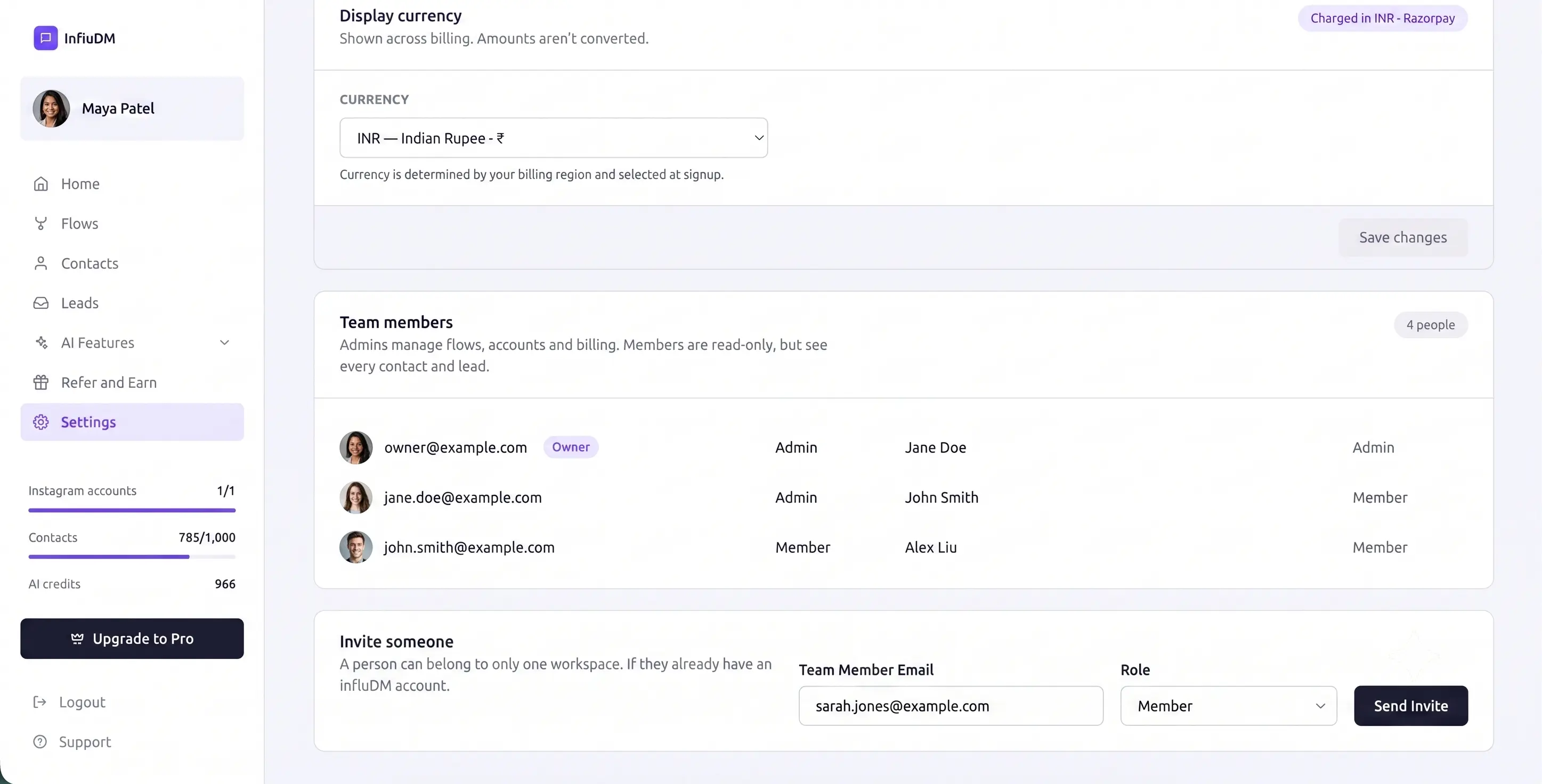 Settings → Workspace — the display currency above, the member list with each person's role, and the invite form below it.
Roles
| Role | Can do |
|---|---|
| Owner | Everything. Created the workspace; can't be removed or demoted. |
| Admin | Everything except touching the owner — flows, Instagram accounts, lead forms, workspace settings, billing, payouts. |
| Member | Read-only. Sees every contact and lead, but can't change flows, accounts or billing. |
Full detail in Roles & Permissions.
Inviting someone
Enter their email, pick a role, and send. A login is created for them and they land directly in your workspace when they sign in — they don't get their own.
Team members are a premium feature
Inviting teammates requires a plan with the team-members feature enabled. Where it's included, the number of people is unlimited. Settings → Billing shows whether your plan has it.
Changing a role or removing someone
Admins can switch anyone between Admin and Member with the dropdown on the row, and remove anyone with Remove. The owner's row is fixed — no role dropdown, no remove button.
Removing someone revokes their access immediately. It doesn't delete anything they created; flows, forms and leads belong to the workspace, not the person.
Billing details
Also under Settings → Billing: company name, address and GST/Tax number used on invoices. See Billing & Plans.