

Appearance
AI Billing & Usage
The AI features run on credits. Credits are separate from your plan — your plan pays for Instagram accounts and automation, credits pay for the reading the AI does.
This page covers where credits come from, how to top up, and where to see what you've spent.
📸 Screenshot
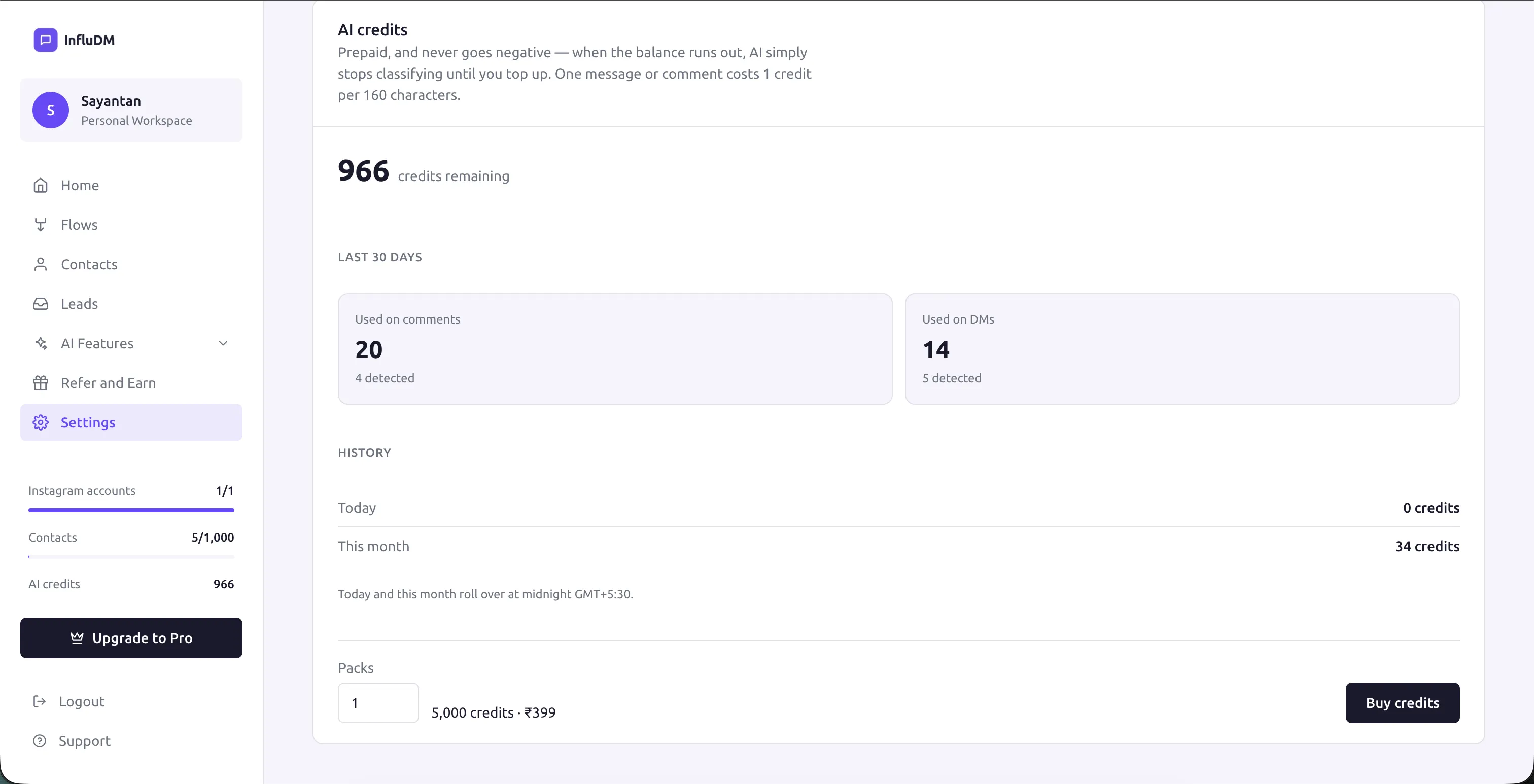 The AI credits card at the top of Settings → AI features, showing the current balance, this month's usage and the Buy credits button.
How credits work
Reading one message or one comment costs a credit or two, depending on how long it is. A one-line comment costs the minimum; a long brand pitch costs a little more.
Three things are worth knowing, and they're the reason this can't surprise you:
Credits are prepaid. You buy them before they're used. There is no bill at the end of the month and no invoice for usage you didn't expect.
The balance can never go negative. Not by a fraction of a credit. If a message arrives and you can't afford to read it, it isn't read.
Running out breaks nothing. When the balance hits zero the AI stops reading and that's all that happens. Your flows keep running, your DMs keep sending, your automations are completely unaffected. Top up and the AI picks up again with the next message that arrives.
Reading stops, it doesn't queue
Messages and comments that arrive while your balance is zero are not held and read later. They're simply not read. If you top up an hour later, the AI starts again from the next new message — it doesn't go back for the ones it missed.
Where credits come from
| Source | When | Notes |
|---|---|---|
| On signup | Once, automatically | Every new workspace gets a starter balance, on the free plan included. Enough to try both features properly. |
| With a plan | On purchase, and again each renewal | Paid plans include a credit allowance that tops up every time you renew. |
| Credit packs | Any time you buy one | A one-off top-up. Doesn't touch your plan, validity or account count. |
Credits from different sources all land in the same balance. There's no expiry on what you've bought and no separate pots to keep track of.
Buying more credits
Credit packs are on sale under Settings → AI features, in the credits card at the top of the page.
- Press Buy credits.
- Choose how many packs you want.
- Complete checkout the same way you would for a plan — INR through Razorpay, USD through PayPal, in your workspace's currency.
- The credits land on your balance as soon as the payment settles.
Buying a credit pack is not a plan change. It doesn't alter your billing date, your account allowance, your quotas or your plan validity. It only adds credits.
📸 Screenshot
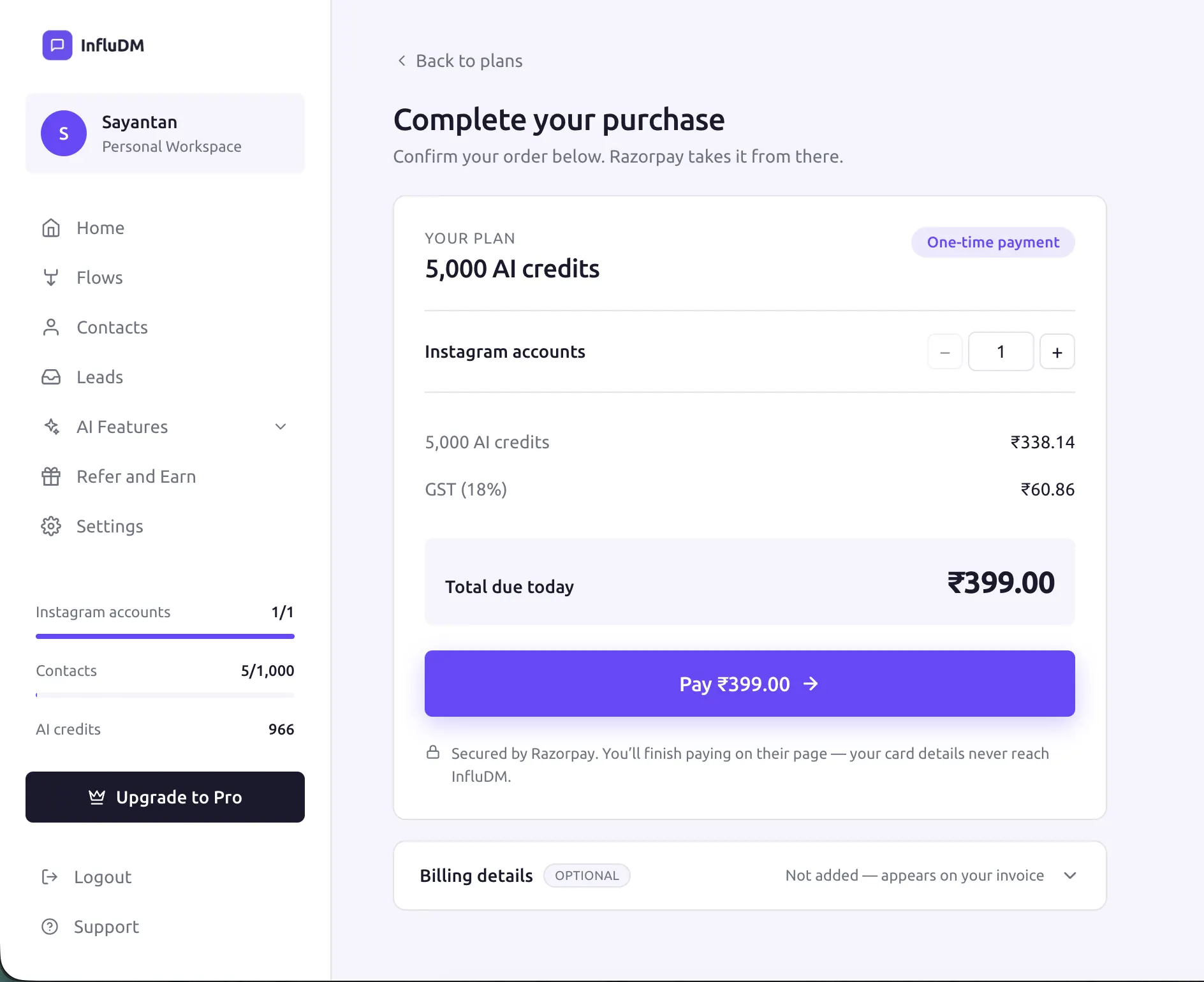 The Buy credits dialog with the pack quantity stepper and the total price shown in the workspace currency.
Admin only
Buying credits is an admin action, like every other purchase. Members can see the balance and the usage history but can't spend. See Roles & Permissions.
Seeing what you've used
Your balance appears in three places, so you're never hunting for it:
- The sidebar, always visible.
- Settings → Billing, alongside your plan.
- Settings → AI features, with the usage breakdown.
The AI features tab is the detailed one. It shows what you've spent recently, split between comments and DMs, so you can see which feature is actually consuming your balance.
That split is usually the answer to "why is this going faster than I expected". Comment Moderation reads every comment on a busy reel, which on a post that does well is a much larger number than your DMs. If the balance is draining faster than you'd like, narrowing Comment Moderation to your main account is normally more effective than switching anything off.
📸 Screenshot
The usage section of Settings → AI features showing recent spend split between comment moderation and DM detection.
Keeping usage down
A few practical levers, roughly in order of effect:
- Narrow the account list. Both features default to all accounts. If you only care about one, pick it explicitly.
- Run one feature, not two. They're independent — Collab Detection on its own is a fraction of the cost of moderating a busy comment section.
- Switch a feature off between campaigns. A viral reel is when moderation earns its keep; a quiet fortnight is when it just reads emoji.
You don't need to do any of this to stay safe — the prepaid balance is the real protection. These are just the knobs if you want the balance to last longer.
Credits and your plan
| Plan | Credits | |
|---|---|---|
| Pays for | Instagram accounts, contacts, team members | AI reading |
| Billed | Per Instagram account, per period | Prepaid, per pack |
| Renews | You renew manually, no auto-charge | Never expires; top up when you want |
| Running out | Accounts pause, flows stop | AI stops reading, flows unaffected |
Full plan mechanics are in Billing & Plans and Plans, Quotas & Limits.
Troubleshooting
My balance didn't go up after paying. The confirmation page waits for the payment to settle, usually a few seconds. If you closed the tab early, reopen Settings → AI features — it should be there within a minute.
Credits are going faster than expected. Check the usage split on the AI features tab. Comment Moderation on a post that's performing will always be the larger number. See Keeping usage down.
The AI features tab says they're unavailable. The features are temporarily switched off at our end. Nothing else in your account is affected and no credits are consumed while they're unavailable.
I'm on the free plan — do I get credits? Yes. Every workspace gets a starter balance at signup, and both AI features work on the free plan.
Still stuck? Try the chat on this page first, then Contact & Support.